
See exactly what your Art-Net network delivers.
Zenopix ECHO is a virtual Art-Net node for Windows. It answers your controller like a real device, draws every received channel on a 2D or 3D model of the installation, records the stream and logs every packet – no fixtures, no venue required.
A real node on your network, a window into every channel.
Load the patch of the software that is sending – Zenopix NEO, MADRIX 5 or ENTTEC ELM – and every channel lands on the pixel it was meant for.
- Check a show before going on site – from the controller straight to a 3D model.
- Verify a controller’s patch: wrong universe, start channel or colour order shows up at once.
- Diagnose the network: polls, packet rate, sequence errors and every single packet.
- Record what arrives and replay it frame by frame – in ECHO or in Zenopix NEO.
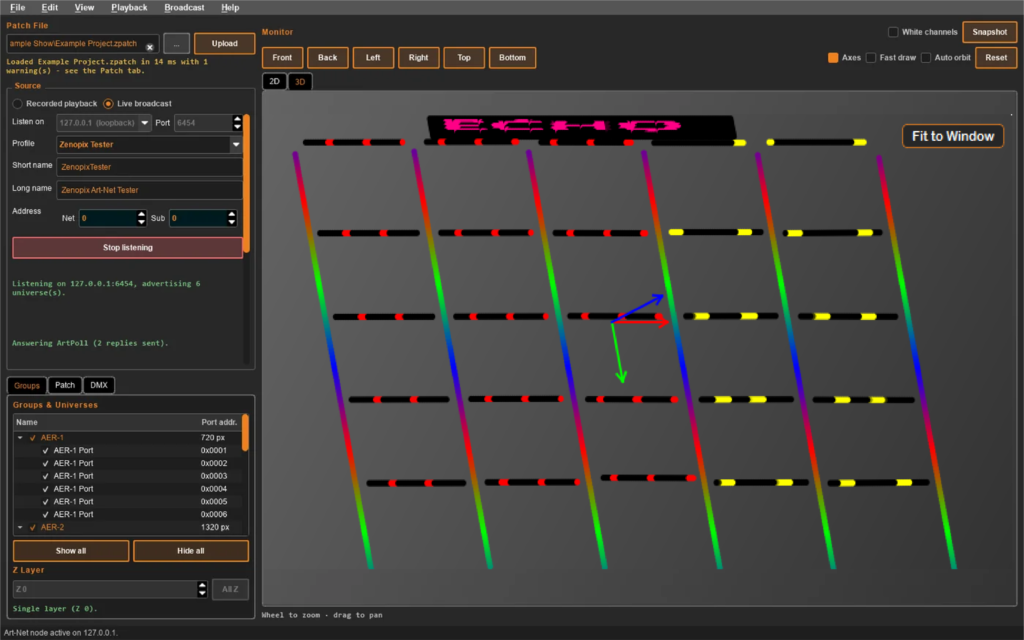
ZENOPIX ECHO SOFTWARE INTERFACE
One window for the whole test: load the patch, choose live broadcast or a recording, and watch the installation light up exactly as the data arrives.
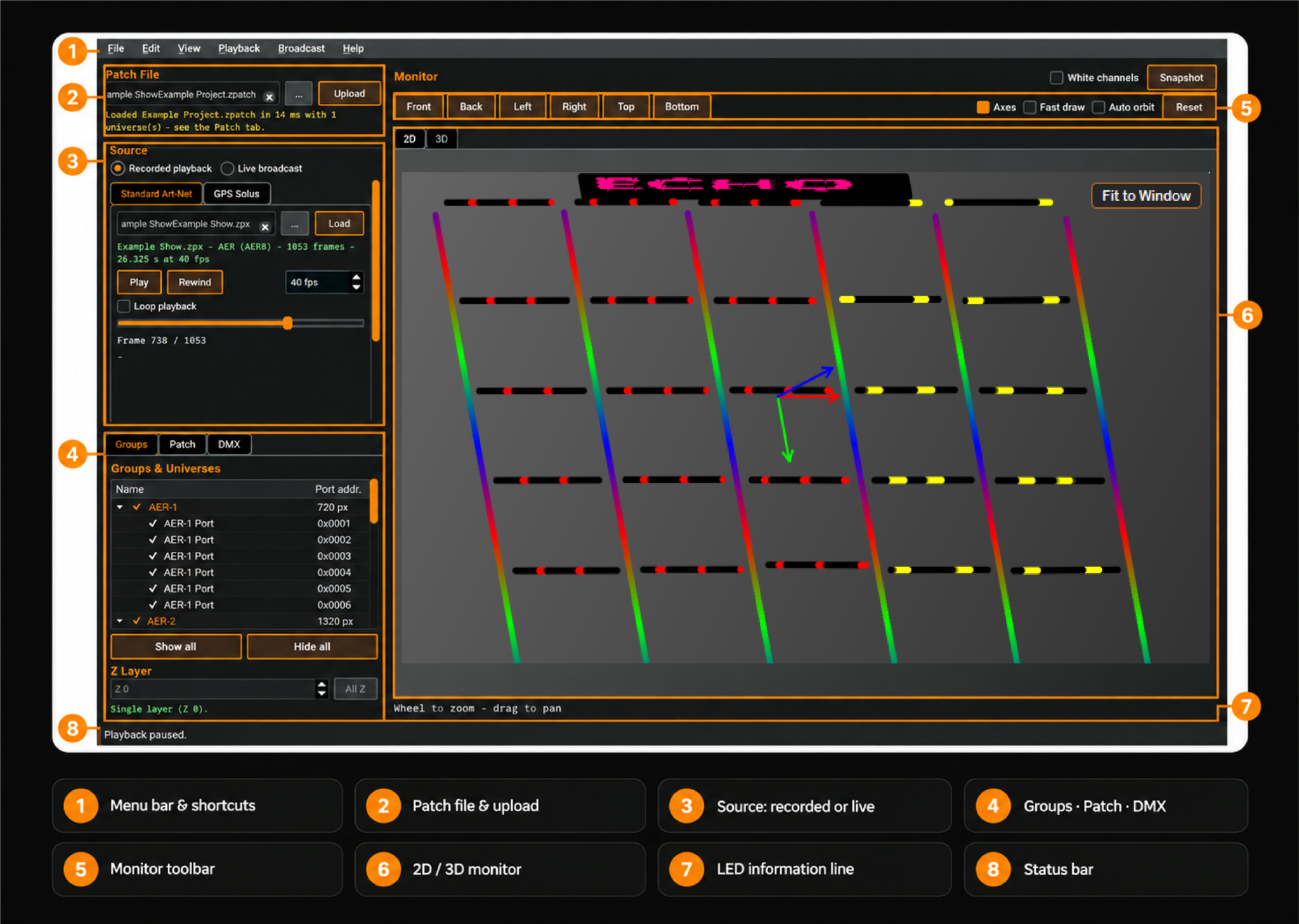
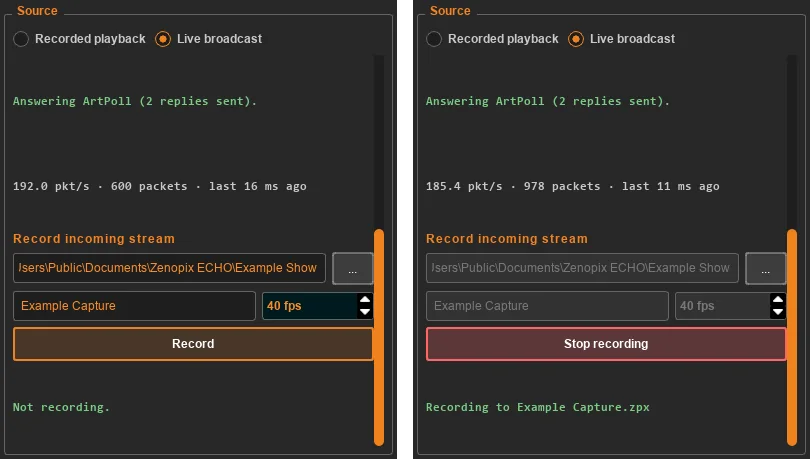
LIVE BROADCAST
ECHO answers like a real controller device
ECHO listens on the adapter you choose, answers ArtPoll and announces every universe of the patch as its own port with its own bind index – the way Zenopix VELOX and ELEA do it – so NEO, MADRIX and other controllers list each one separately.
- Profiles for Zenopix Tester, ELEA, FELIX, AER6S, SOLUS and a generic node.
- Live diagnostics: polls answered, packets per second, sequence errors.
- Record the incoming stream to .zpx – byte-compatible with Zenopix NEO, AER included.
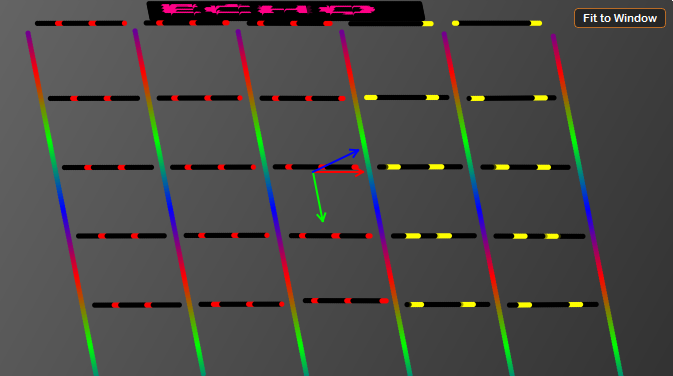
2D & 3D MONITOR
Every LED where the patch puts it.
Orbit, zoom and jump to six standard cameras. Hover over a LED to see its group, port address, start channel and which DMX channel carries each colour – the fastest way to tell a patch error from a data error.
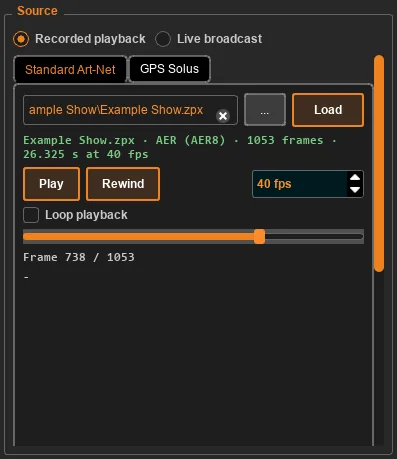
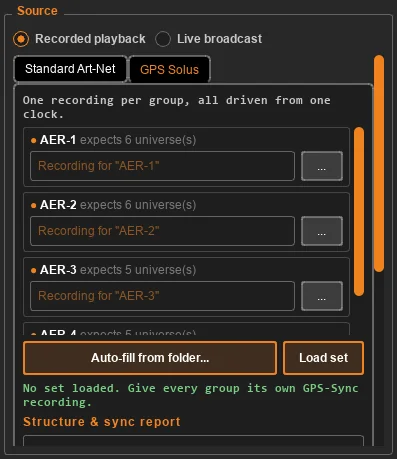
RECORDED PLAYBACK
Replay a show without the controller.
Play Zenopix NEO recordings – or ECHO’s own – frame by frame or looped, at exactly the frame rate you set. GPS Solus sets play one file per group from a single clock, after a structure and sync report marks every check PASS, WARN or FAIL.
- Measured frame rate, dropped frames and draw time on screen.
- Raw DMX of any universe in the DMX tab.
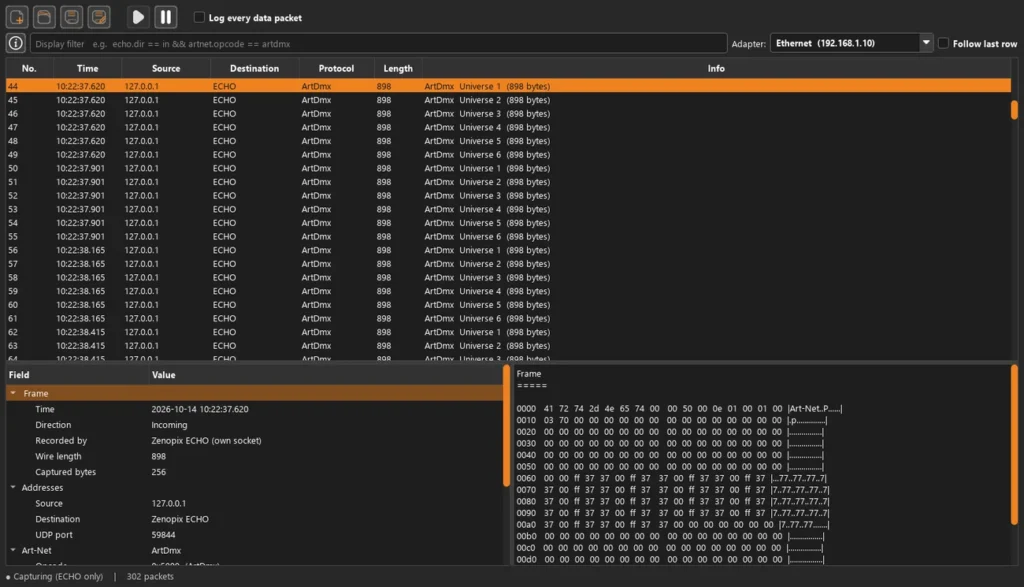
Every packet, decoded and filterable.
The network log of Zenopix NEO, built in: what was received and sent, from where, with which opcode and universe. With Npcap it also captures the whole adapter.
WHY ECHO
Built by the team that builds the controllers.
ECHO speaks the same Art-Net as Zenopix NEO and the Zenopix devices – down to the recording format and the network log.
Behaves like real hardware
One ArtPollReply per port with its own bind index – controllers patch ECHO exactly like a VELOX or ELEA.
Byte-exact recordings
Packets are stored as received, in NEO's .zpx format with the AER dialect – a recording opens in either application.
Diagnose, don't guess
Poll status, packet rate, sequence errors, a decoded log and the raw DMX of every universe.
Ready on day one
Signed installer, automatic updates and a full user manual.
Load the patch
File › Open Patch Ctrl+O – a NEO,
MADRIX 5 or ELM file.
Choose the source
Live broadcast, or Recorded
playback for a .zpx file.
Start listening
Pick the adapter, keep port 6454
and send from your controller.
Inspect
Hover a LED, open the DMX tab or
the network log Ctrl+L.
COMPATIBILITY
Works with the software you already use.
With advanced modeling support, you can model the outputs of your running animations in real time and in three dimensions.
| Software | File | What ECHO reads | Sending to ECHO |
|---|---|---|---|
| Zenopix NEO | .zpatch | Groups, zenoverses with their target IP, fixtures and layouts, white and kinetic channels. | Set the zenoverses' target IP to ECHO's address; ECHO appears in NEO's device list. |
| MADRIX 5 | .mpz | Fixtures with position, universe, start channel and R/G/B/W; multi-pixel fixtures. Fixed-value channels ignored, DVI skipped. | In the Device Manager set the Universe of row BindIdxN to N. |
| ENTTEC ELM | .elm | All 35 pixel types, lines, arches, circles, polygons and curves, custom LED address offsets. | ELM universes are Art-Net Port-Addresses and are used as they are. |
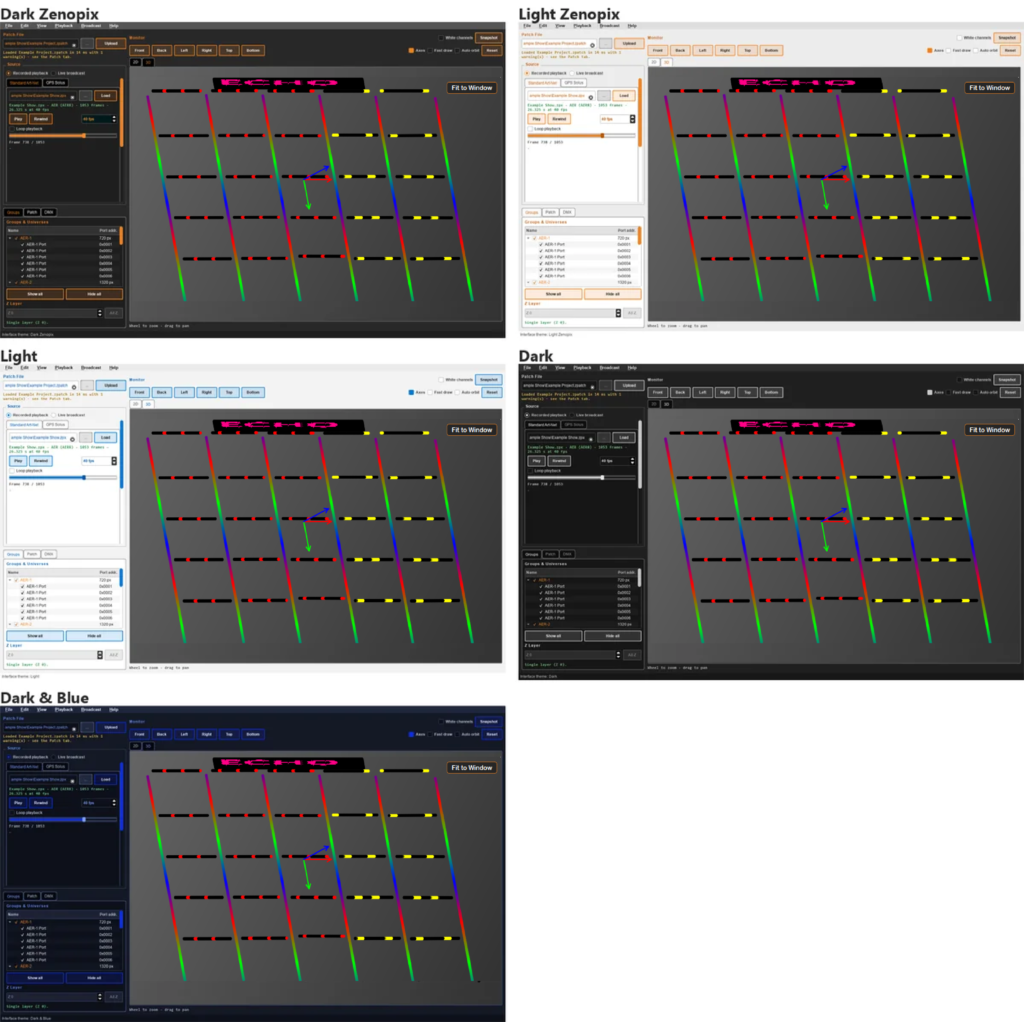
Color Themes and Multilingual Support
Theme and language change instantly, without a restart. The monitor stays dark in every theme, so LED colours always read correctly.
Get Zenopix ECHO
One signed installer. ECHO checks for updates at every start and installs them for you.
Zenopix ECHO for Windows
Latest version 1.0.0 rv002 · October 2026
System requirements
A 36-page manual with every screen explained.
Installation, the main window, patches, the monitor, playback, live Art-Net, the network log, a menu reference and troubleshooting – with screenshots from the real application.
Echo SOFTWARE
Troubleshooting & FAQ
My controller does not list ECHO.
Check that ECHO is listening on the adapter that is on the controller’s network, and that Windows Firewall allows Zenopix ECHO on that network. The panel says “No ArtPoll seen yet” while no controller is searching for devices.
Packets arrive but the monitor stays dark.
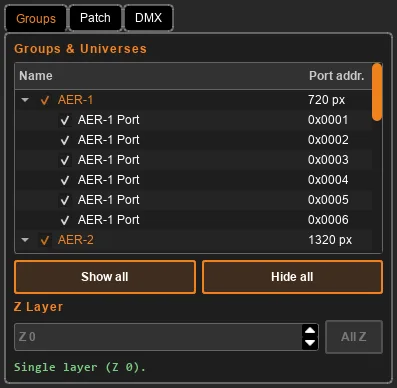
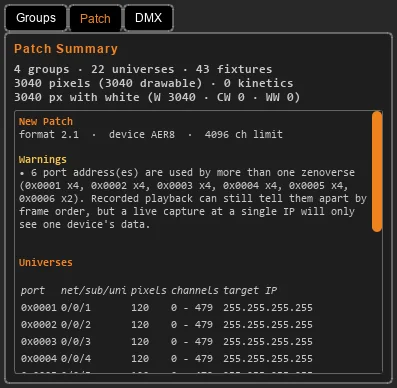
Load the patch the controller actually uses and compare the universes in the Patch tab with the DMX tab. Hidden groups or a single Z layer in the Groups tab also hide LEDs.
With MADRIX every universe is off by one.
MADRIX universe N arrives as Port-Address N-1. Set the Universe of each “BindIdxN” row in the MADRIX Device Manager to N; the Patch tab repeats this rule for the loaded patch.
Can I run ECHO on the same computer as Zenopix NEO?
Yes. Choose 127.0.0.1 or a specific adapter address in “Listen on” – not Any – and send to that address.