
info@zenopix.com


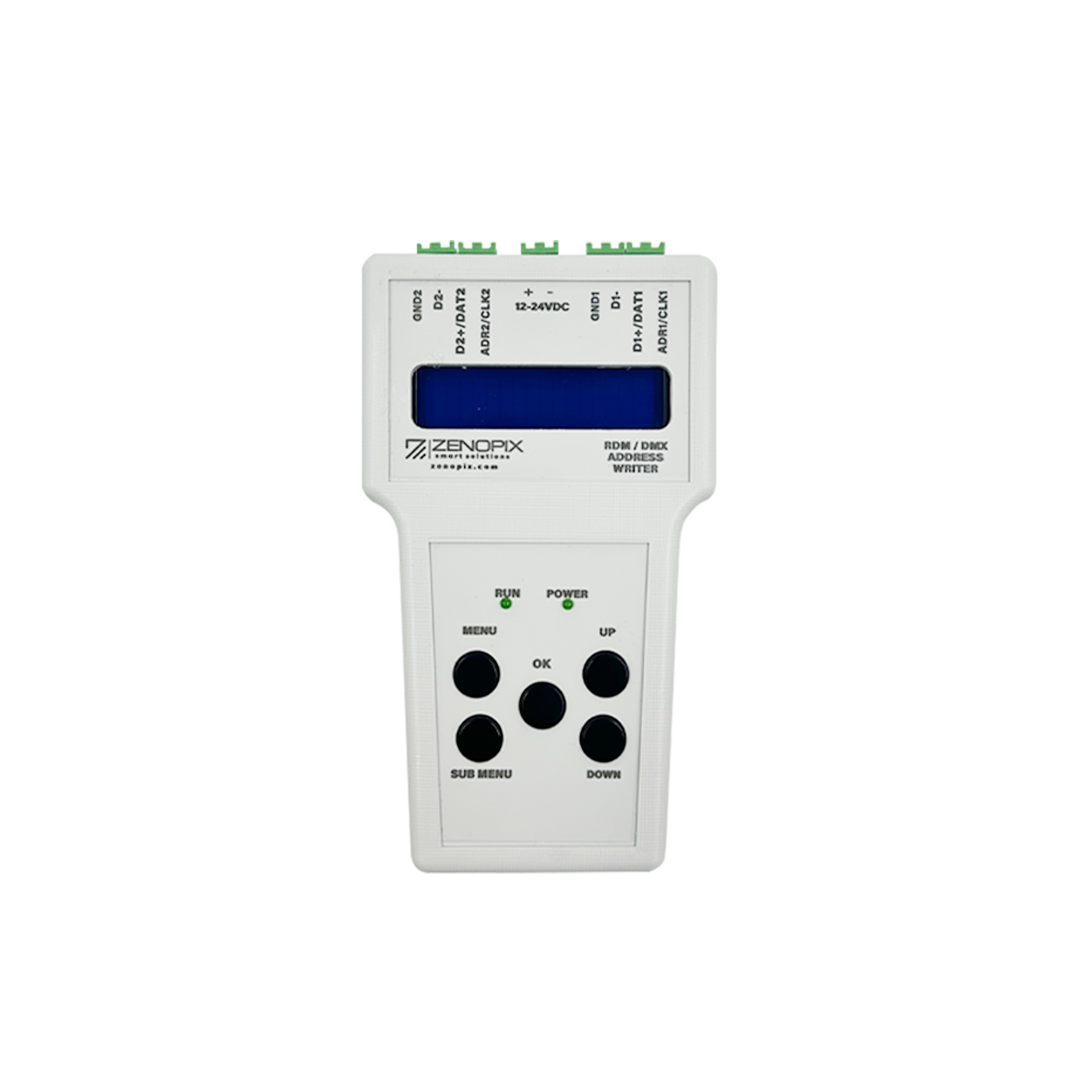
Zenopix RDM-DMX Addresser
Zenopix DMX Addresser sets DMX addresses on LED strips.
The Zenopix DMX Addresser is a control device designed to quickly and accurately set DMX addresses on LED strips. The device takes the first IC as a reference to determine the total number of ICs and channels, and it performs automatic addressing whether there are 3 or 4 channels. For example, if the first IC is set to 1, the DMX values are assigned as 1, 2, and 3.
The Zenopix DMX Addresser easily addresses TM512, UCS512, SM16512, and SM17512 DMX ICs and operates with DC 12–24V.
Features:
-
Automatic DMX addressing for LED strips
-
Determines the total number of ICs and channels based on the first IC
-
Automatic addressing for 3 or 4 channels
-
Compatible with TM512, UCS512, SM16512, and SM17512 DMX ICs
-
DC 12–24V input
The Zenopix DMX Addresser is a reliable solution for fast and accurate DMX addressing in LED strip projects.
It supports 4-channel DMX ICs. Chip modes are R, G, B or R, G, B, W. It can support up to 1536 channels. Changes can be made using the MODE button.
- Product Features
- Product Videos
- Drawings
- Files
- FAQ
| POWER | Power Indicator |
| A/B/GND | 4-pin DMX Cable |
| GND / DAT | 3-pin DMX Cable |
| ADR | DMX Address Cable |
| OK | Identification Button |
| MENU | Operation Selection Menu |
| SUBMENU | Operation Selection Submenu |
| UP / DOWN | For Address, Channel, and Speed Settings |
| Zenopix Addresser Technical Documentation and User Manual | Download |
Question 1: Which types of LED ICs does the Zenopix DMX Addresser support?
Answer 1: It supports TM512, UCS512, SM16512, and SM17512 DMX ICs.
Question 2: How does the addressing work?
Answer 2: The device takes the first IC as a reference and determines the total number of ICs and channels. It performs automatic DMX addressing for 3 or 4 channels. For example, if the first IC is set to 1, the DMX values are assigned sequentially as 1, 2, 3.
Question 3: What is the maximum number of DMX channels supported?
Answer 3: The Zenopix DMX Addresser supports up to 1536 channels with 4-channel DMX ICs. Chip modes can be R, G, B or R, G, B, W, and changes can be made using the MODE button.